Ask any grassroots manager what causes the most friction with parents, and fair playing time in youth football will be near the top. Everyone wants their child to play, every week, in their favourite position, and you’ve got 14 players for 9 places.
Here’s a simple way to share playing time fairly, keep track without a spreadsheet, and have honest conversations with parents when you need to.
Fair playing time in youth football: decide your approach and say it out loud
Before the season starts, decide how you’ll share game time, and tell parents. Most grassroots managers choose one of these:
- Equal time: everyone plays roughly the same minutes over the season. Common in mini-soccer and younger age groups.
- Fair time: everyone plays a meaningful amount every week, with a bit more for players who’ve earned it through training and attitude.
- Competitive: the strongest team starts, with others brought on as the game allows. More common at older ages and in higher divisions.
There’s no wrong answer, as long as it fits your age group and league and parents know what to expect. Surprises cause arguments; clear expectations prevent them.
Plan rotations before match day
A few minutes of planning saves a lot of touchline stress:
- Know your squad and match length. For example, 14 players, 9 on the pitch, 60 minutes.
- Work out the total minutes available: 9 places × 60 minutes = 540 player-minutes.
- Divide fairly. 540 ÷ 14 = about 38 minutes each for equal time.
- Plan your changes at set points, such as quarter-time or every 15 minutes.
- Rotate who starts and who finishes, so the same players aren’t always on the bench at the start.
Track minutes across the season, not just the match
Fairness is about the whole season. A player who got 20 minutes this week might have played the full match last week. The only way to know is to track it.
STATZO’s manager account keeps every player’s minutes for you. When you add a match, you record who played and how long, and the totals add up across the season.
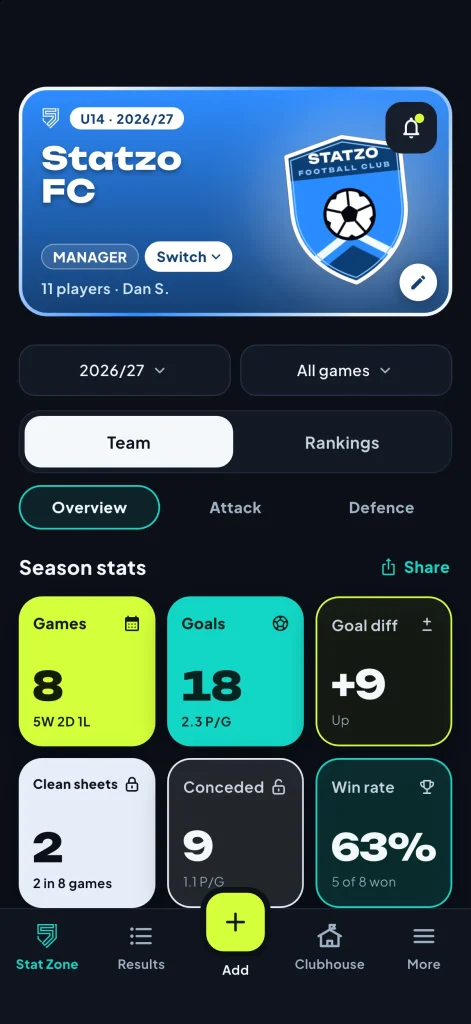
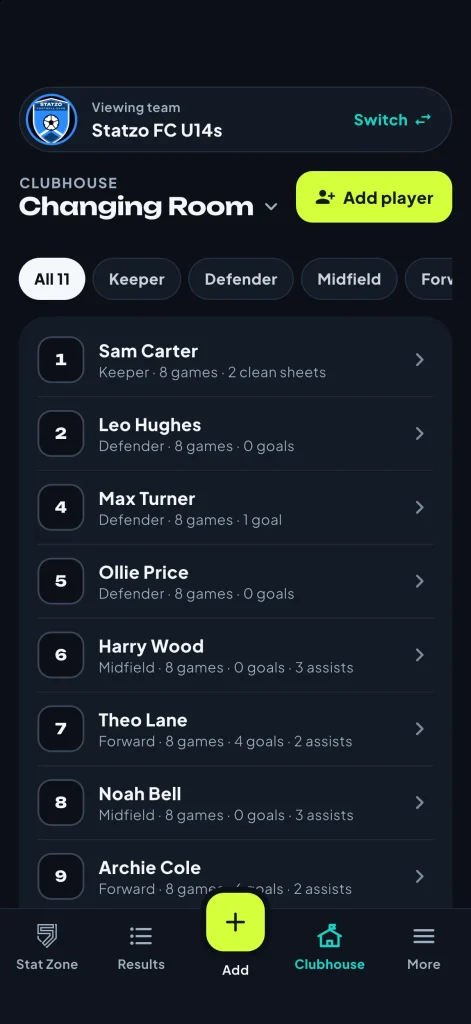
Your whole squad lives in the Changing Room: names, shirt numbers and positions, with every player’s profile one tap away. Players don’t need their own account.
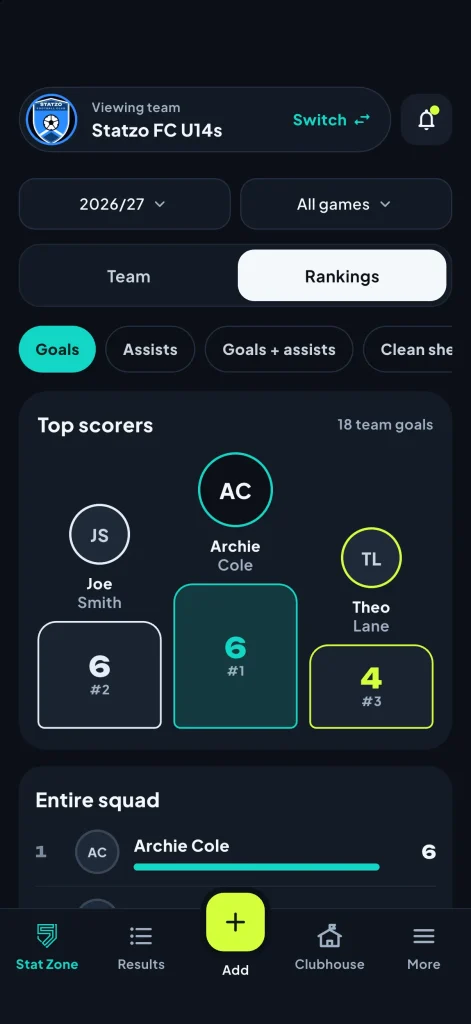
Rankings then show the squad’s minutes (and goals, assists, clean sheets, Player of the Match and ratings), so you can see at a glance who’s played most and least.
Positions matter too
Fair playing time isn’t only about minutes. A player who always plays at the back may want a go in midfield. Rotating positions, especially in younger age groups, helps children learn the game and keeps them interested. Record the position each match so you can spot who hasn’t had a chance yet.
Talking to parents about game time
Even with a fair system, some parents will ask. When they do:
- Be open about your approach. Remind them what you said at the start of the season.
- Use the numbers. “Ollie’s averaged 41 minutes across eight games, which is about the squad average” settles most worries quickly.
- Give something to work on. If a player is getting less time for a reason, explain it kindly and say what would help.
- Keep it private. Never discuss a child’s game time on the touchline or in the team group chat.
Make it part of the season’s story
Game time and stats can also be a positive. At the end of the season, minutes, appearances and Player of the Match awards make a great basis for awards that recognise every player, not just the top scorer (see end of season awards ideas).
Frequently asked questions
Do players need the app?
No. The manager adds the matches. Parents and supporters can follow if they want to.
Is the manager account free?
Yes. One team, results and line-ups, adding matches with minutes and ratings, and the Changing Room are free for life. Seeing minutes and ratings across the season, Rankings and more than one team are part of Premium, which every new account can try free for 14 days.
Can I manage more than one team?
Yes, with Premium. Each team keeps its own squad and seasons.
Stop doing the maths on a Sunday night
Download STATZO free on the App Store or Google Play, add your squad once, and let it keep track of everyone’s minutes.
- Free to download
- 14 days of Premium free
- No card needed

